---
description: Accumulate your staked funds by staking more.
---
# Stake more
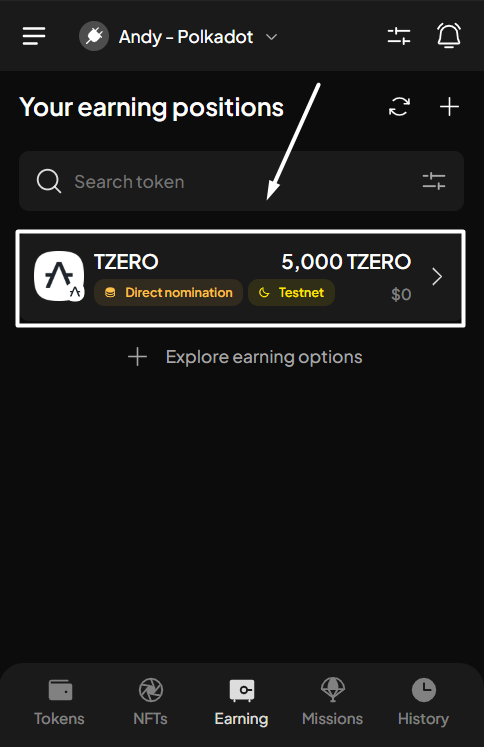
**Step 1**: Open the SubWallet extension and choose the "**Earning**" tab at the bottom of the screen. In the Your earning positions screen, select the funds you want to stake more.
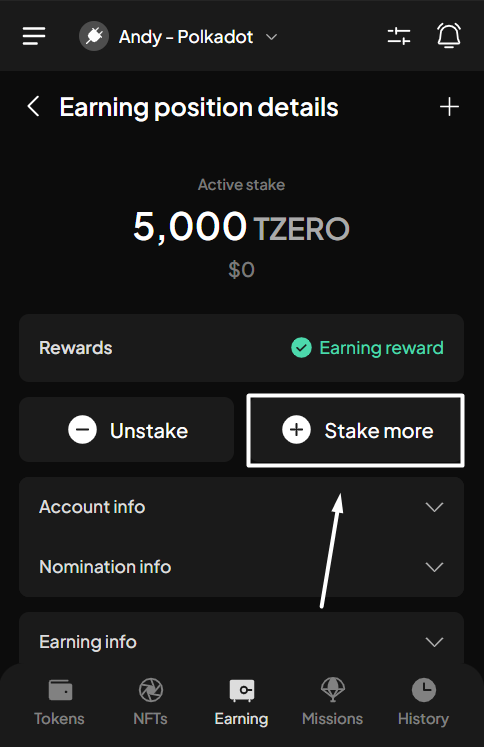
**Step 2**: Click "**Stake more**" to add more funds to your stake.
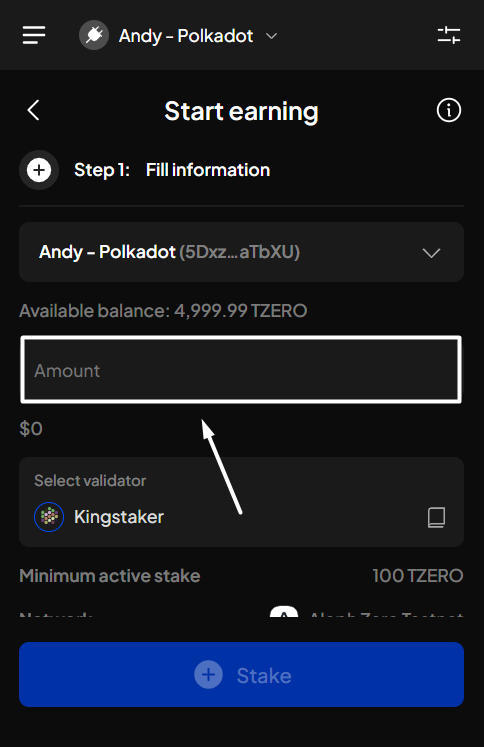
**Step 3**: Enter the amount you want to add to your stake. Once done, click "**Stake**".
{% hint style="info" %}
Unlike earning via nomination pool, with direct nomination, you can choose another validator as you add more funds to your stake.
{% endhint %}
{% hint style="warning" %}
Make sure you leave enough tokens to pay gas fees for rewards claims, unstaking, or withdrawal.
{% endhint %}
{% hint style="info" %}
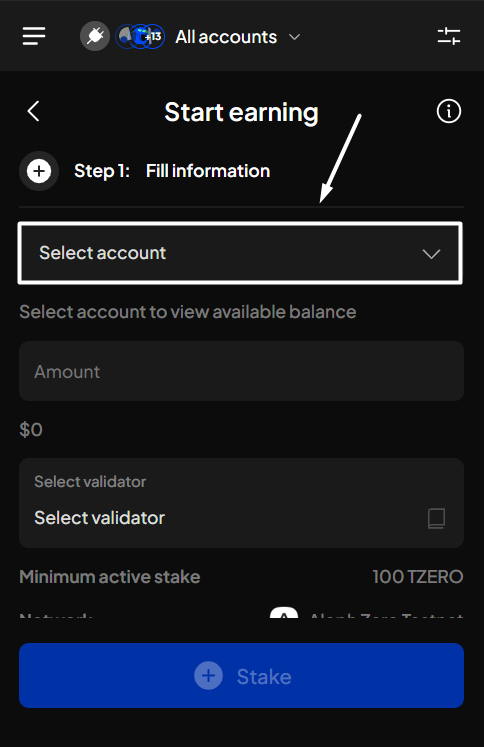
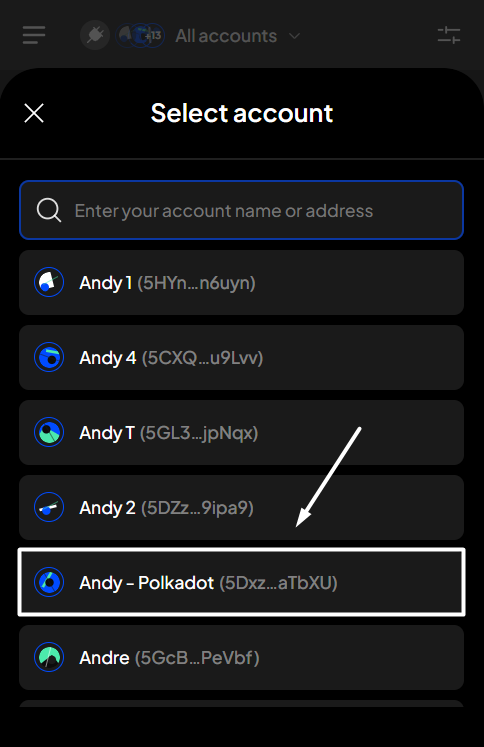
If you are in the "**All accounts**" mode, you will need to select the staking account before entering an amount.
{% endhint %}
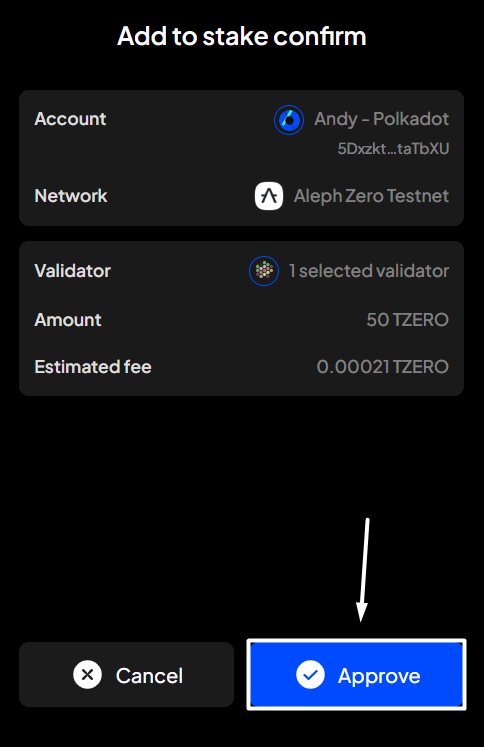
**Step 4**: Check the information and confirm your request by clicking "**Approve**".
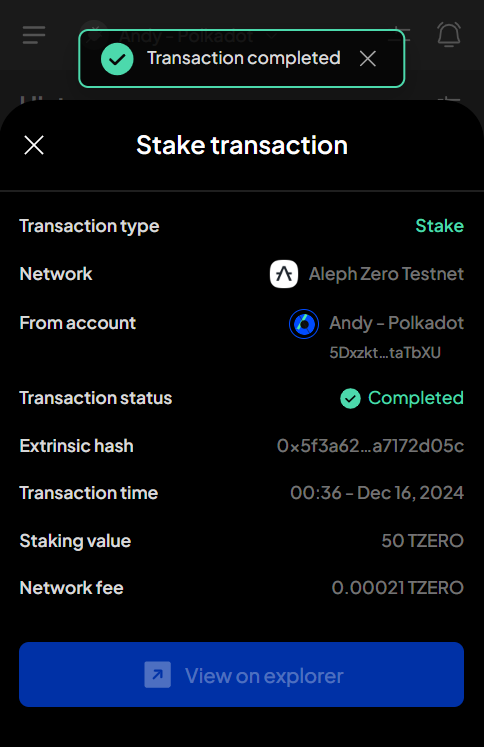
**Step 5:** Your request has been submitted!
You can either click "**Back to home**" to return to the homepage or "**View transaction**" to see transaction details in the History tab.
{% hint style="info" %}
If you click "**View transaction**", SubWallet will show you the latest transaction record in your transaction history along with the extrinsic hash of the transfer.
{% endhint %}
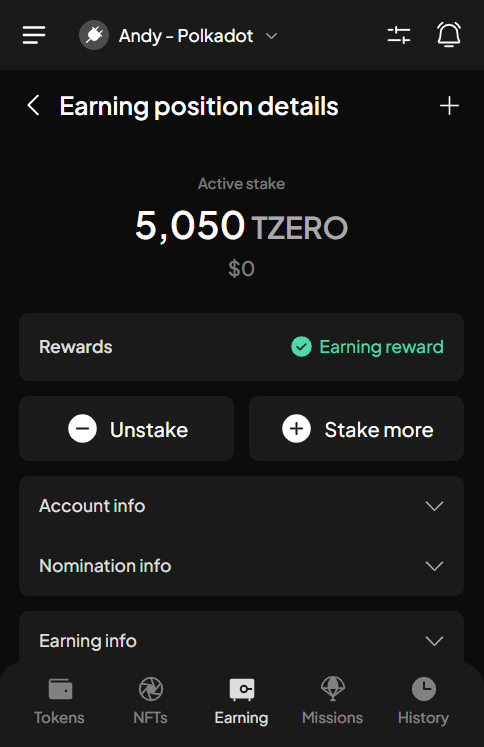
To check the status of your staked funds, after selecting "**Back to home**", repeat the action as per **Step 1**. In the Your earning positions screen, scroll down, then click on your newly added staked funds.


 {% endhint %}
**Step 4**: Check the information and confirm your request by clicking "**Approve**".
{% endhint %}
**Step 4**: Check the information and confirm your request by clicking "**Approve**".

 {% endhint %}
To check the status of your staked funds, after selecting "**Back to home**", repeat the action as per **Step 1**. In the Your earning positions screen, scroll down, then click on your newly added staked funds.
{% endhint %}
To check the status of your staked funds, after selecting "**Back to home**", repeat the action as per **Step 1**. In the Your earning positions screen, scroll down, then click on your newly added staked funds.