> For the complete documentation index, see [llms.txt](https://docs.subwallet.app/main/llms.txt). Markdown versions of documentation pages are available by appending `.md` to page URLs; this page is available as [Markdown](https://docs.subwallet.app/main/web-dashboard-user-guide/earning/nomination-pool/claim-staking-rewards.md).
# Claim staking rewards
Earn your reward payout after staking your tokens on SubWallet.
### **Claiming options**
Once you receive rewards for staking in an active pool, you will need to claim them manually. With the rewards, you will have 2 options to claim:
Claiming options
Reference
Stake into your chosen pool
Add to your transferable balance
{% hint style="success" %}
We recommend claiming staking rewards every 2 weeks to avoid paying a gas fee each time you claim.
{% endhint %}
### **How to claim**
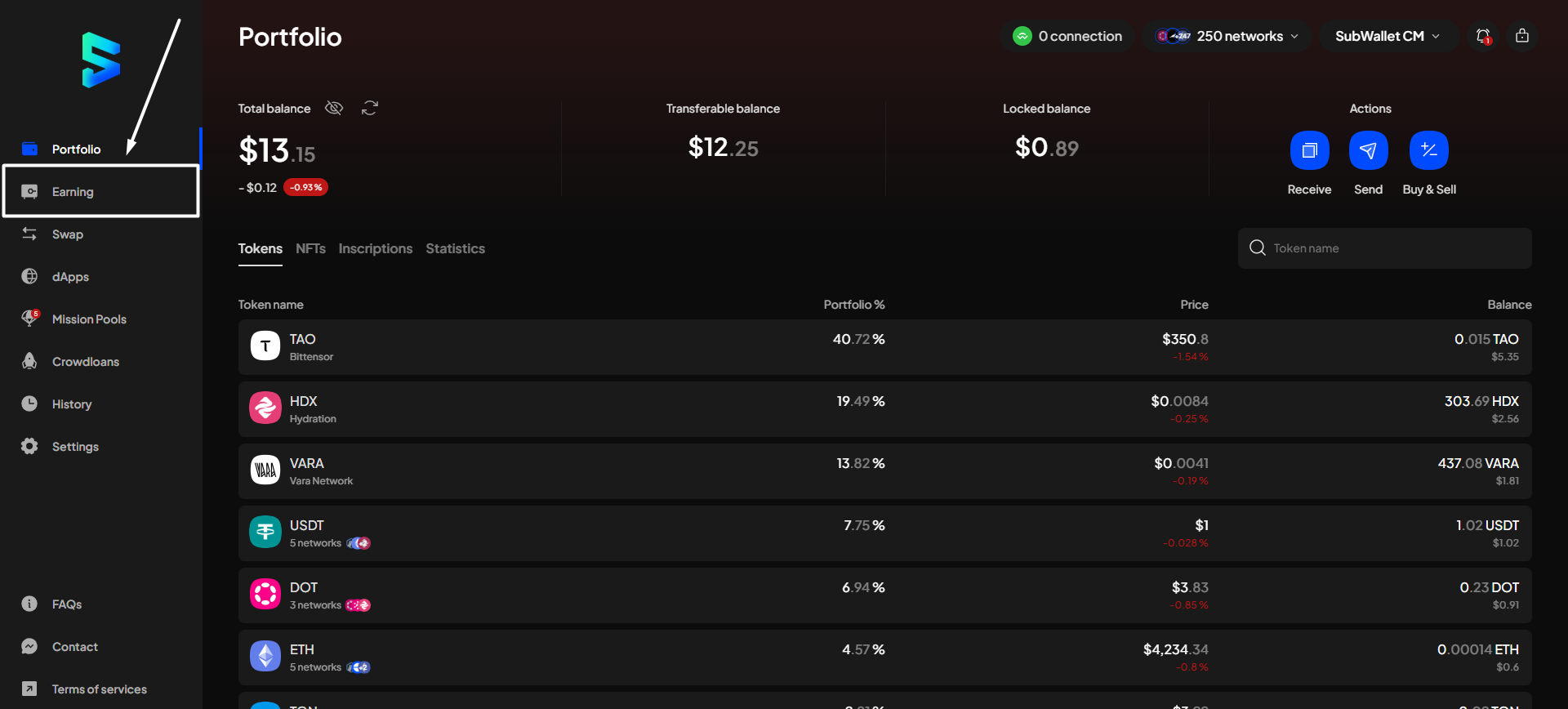
**Step 1**: On the SubWallet homepage, select the "**Earning**" tab on the sidebar.
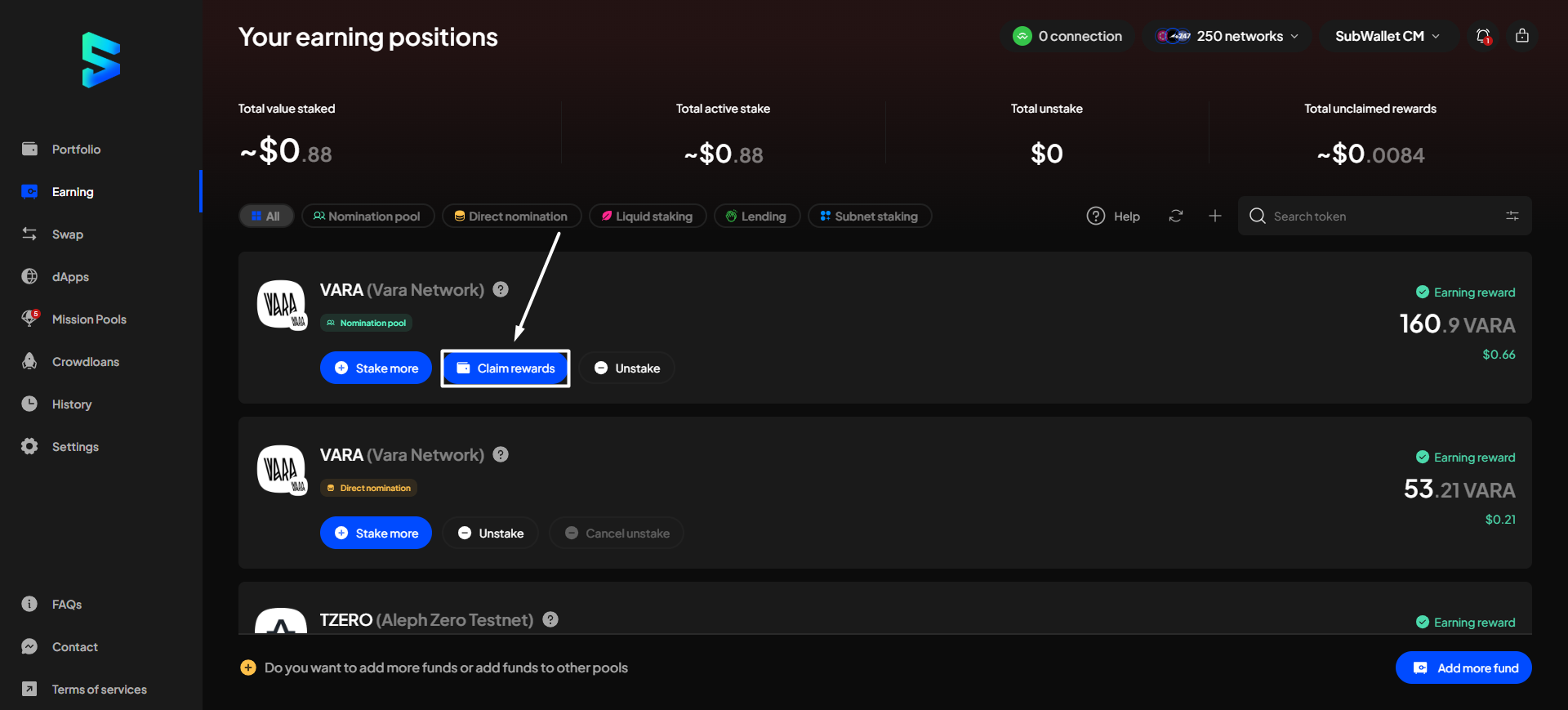
**Step 2**: In the Your earning positions screen, click the "**Claim rewards**" button on the funds you want to claim.
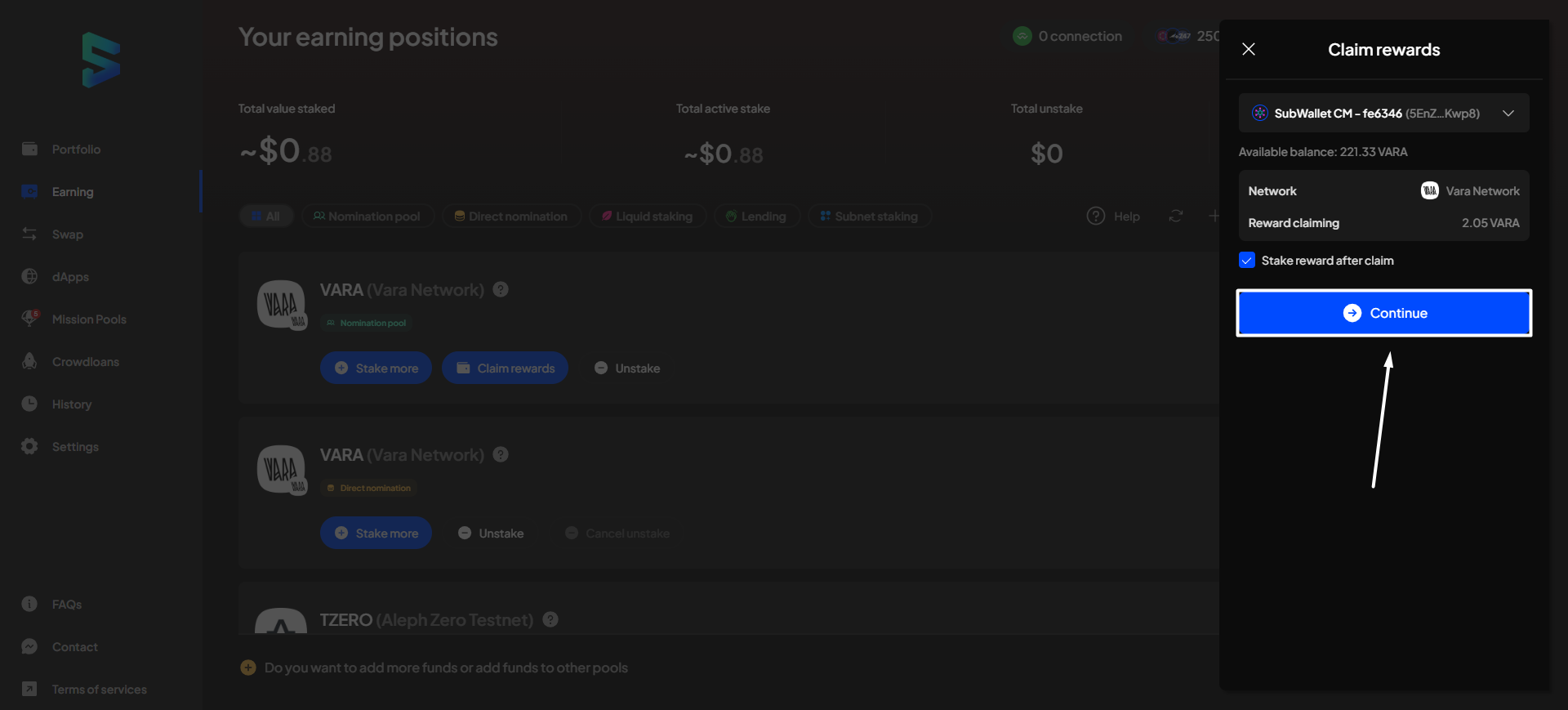
**Step 3:** A popup screen will appear on the right side. Click "**Continue**" to proceed.
{% hint style="info" %}
If you don't want to stake your rewards, don't tick the "Stake reward after claim" box.
{% endhint %}
{% hint style="info" %}
If you are in "All accounts" mode, you will need to select the account for which you want to claim rewards.
 
{% endhint %}
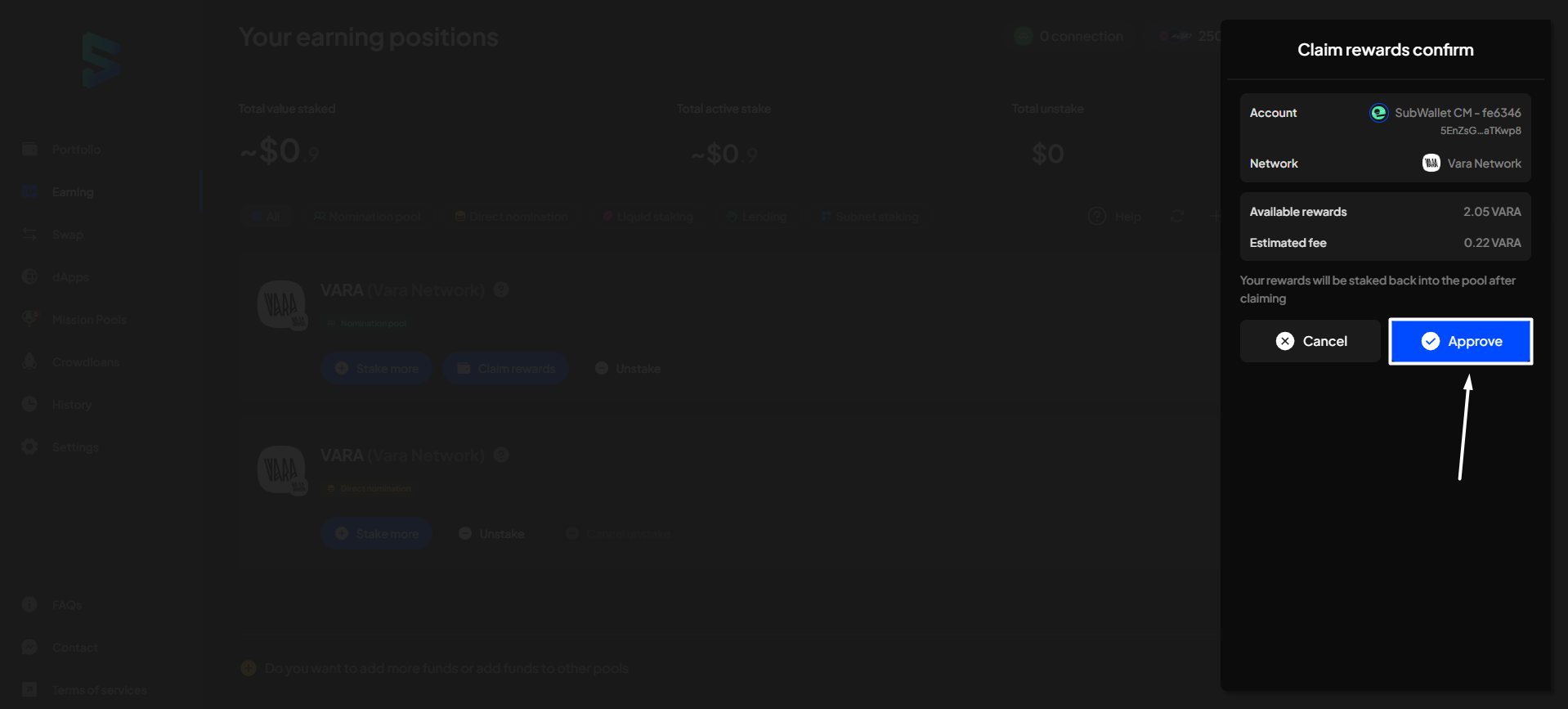
**Step 4**: Check the information and confirm your request by clicking "**Approve**".
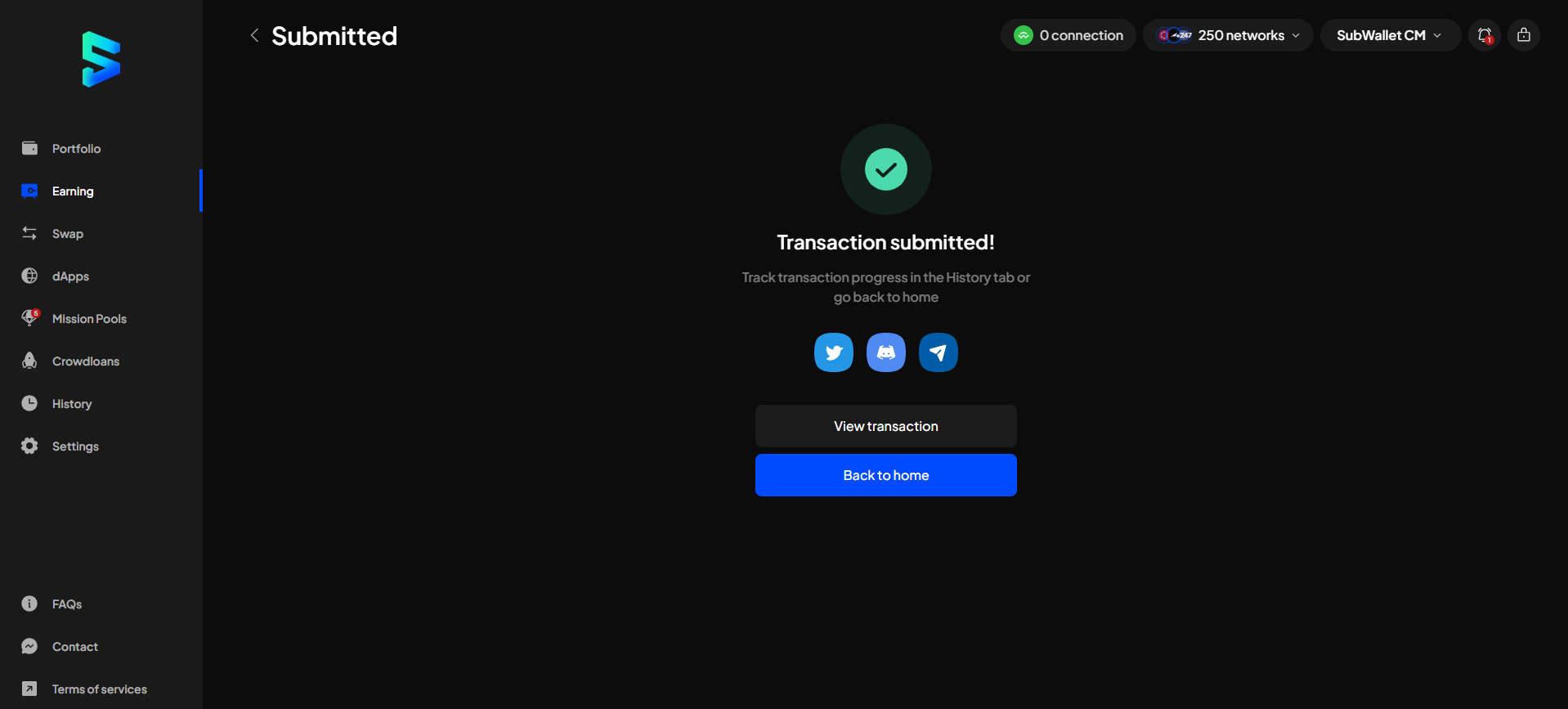
**Step 5:** Your request has been submitted!
You can either click "**Back to home**" to return to the homepage or "**View transaction**" to see transaction details in the History tab.
{% hint style="info" %}
If you click "**View transaction**", SubWallet will show you the latest transaction record in your transaction history along with the extrinsic hash of the transfer.

{% endhint %}