> For the complete documentation index, see [llms.txt](https://docs.subwallet.app/main/llms.txt). Markdown versions of documentation pages are available by appending `.md` to page URLs; this page is available as [Markdown](https://docs.subwallet.app/main/extension-user-guide/buy-crypto-from-fiat-money.md).
# Buy crypto from fiat money
Top up your balances by making on-ramp crypto purchases for specific tokens.
{% hint style="info" %}
SubWallet has partnered with Transak, Banxa, and Coinbase Pay to provide users with on-ramp services.
{% endhint %}
### If you are in Single-account mode
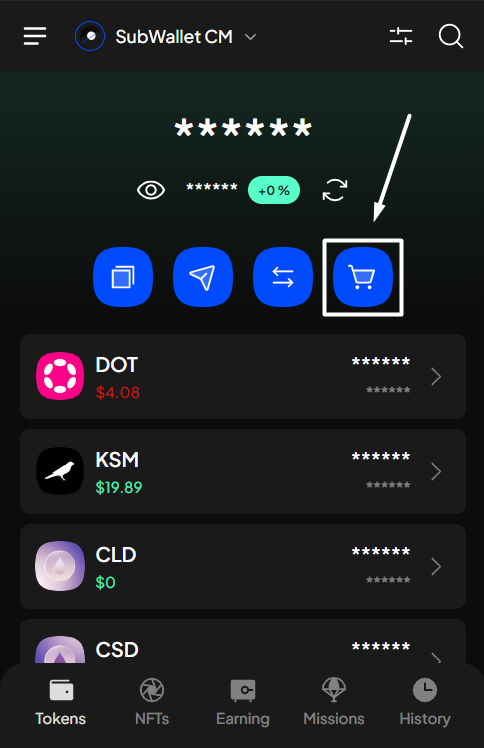
**Step 1**: Open the SubWallet extension. On the homepage, click the "**Buy**" icon.
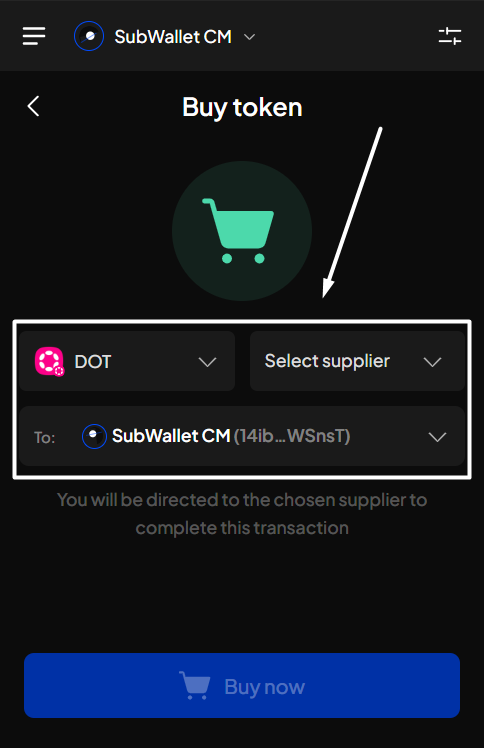
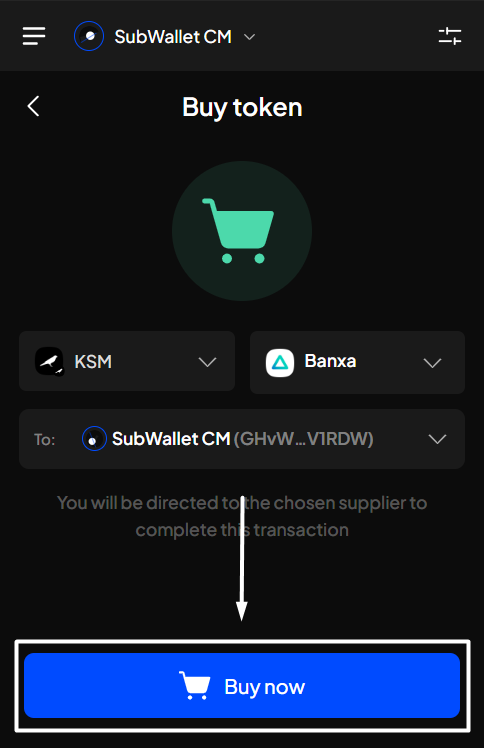
**Step 2**: Select the token and the corresponding supplier you want to buy from. There will be a list for you to choose from. Once done, click "**Buy now**".
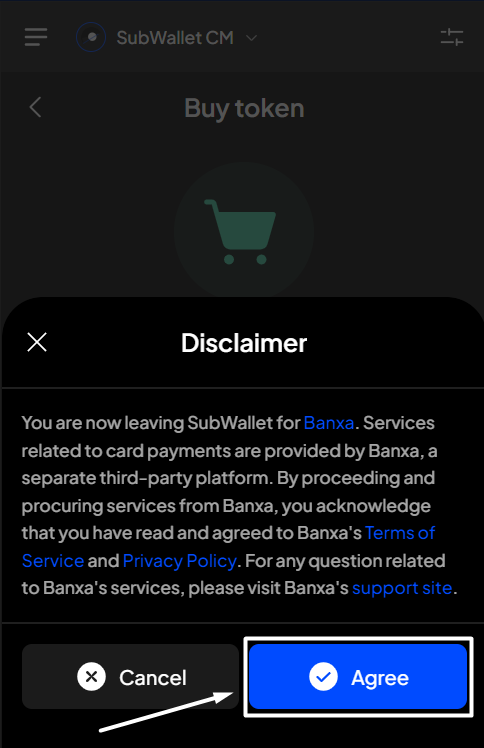
**Step 3:** Read the disclaimer carefully, then click "**Agree**" to proceed. SubWallet will redirect you to your chosen supplier's website so you can continue and complete the transaction.
### If you are in "All accounts" mode
{% hint style="info" %}
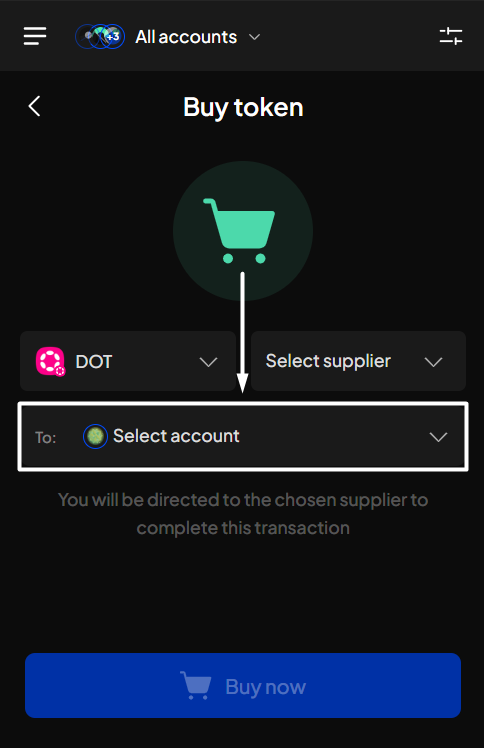
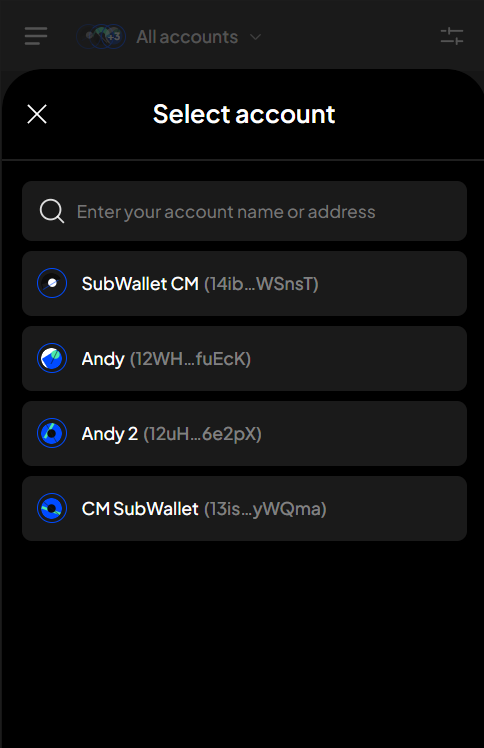
In "**All accounts**" mode, most steps are identical to the "Single-account mode". The only additional step is to select the account for which you want to buy tokens.
{% endhint %}
 {% endhint %}